Check your FAQs
Get your questions answered.
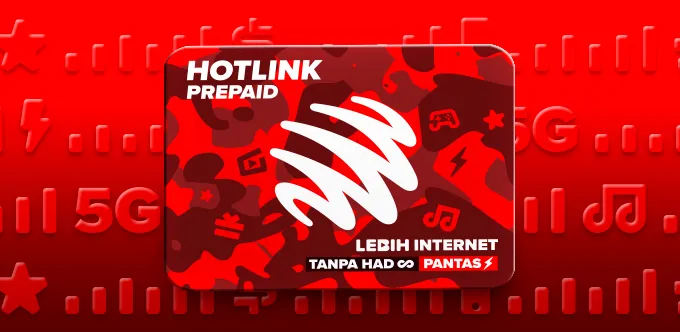
Changed your telco now and upgraded passes with up to 400G of 5G internet with uncapped speed. Enjoy free sooka access & roaming data (Thailand, Singapore and Indonesia).

Sign up online and get RM10 rebate for 12 months on Hotlink Postpaid 75.
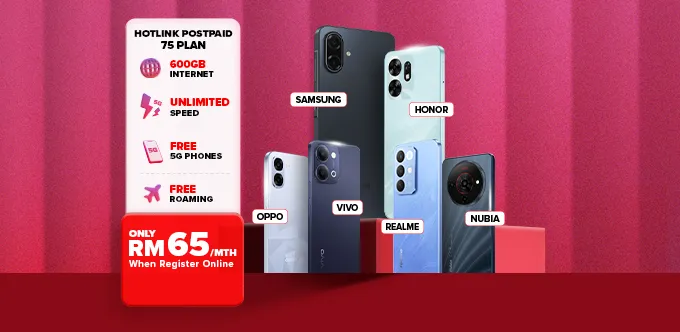
Upgrade to the latest 5G phones from as low as RM0 when you switch telco to Hotlink.
Instantly register a new Hotlink Prepaid eSIM line with the Hotlink app, perfect if you’re wondering how to change telco with the same number.
Learn how to change telco in just three quick steps and get your SIM pack delivered for FREE.

Choose your Hotlink plan and experience the best of 5G! It’s simple to change telco or switch telco online. Your new SIM pack will be delivered straight to your doorstep.
Choose your Hotlink plan and experience the best of 5G! It’s simple to change telco or switch telco online. Your new SIM pack will be delivered straight to your doorstep.

Get Hotlink’s SIM pack delivered for FREE to kickstart your preferred plan.
ALL-IN-ONE PLAN
Hotlink
Prepaid Plan
RM0

Once you’ve completed your request to switch telco, you’ll receive updates on your activation status and next steps.
Switching to Hotlink, or Mobile Number Portability (MNP), allows you to switch telcos while keeping your existing phone number. This means you can change telco to Hotlink without having to update your contacts or lose your current number.
Switching to Hotlink gives you access to Malaysia’s leading network with extensive coverage, competitive plans, and tailored perks, such as special internet deals for prepaid plans or exclusive rewards for postpaid plans, through the Hotlink Rewards program. You’ll enjoy seamless 5G connectivity while keeping your number.
Key benefits include:
- FREE 5G Phones when you sign up for eligible plans.
- The convenience of an instant eSIM for easy activation.
- 5G-ready prepaid and postpaid passes with high-speed internet.
- Broad nationwide coverage and reliable performance.
- Exclusive Hotlink Rewards for discounts, vouchers and partner perks.
Yes. You can change telco from any Malaysian mobile service provider, whether you’re on a prepaid or postpaid plan. Hotlink supports all major networks and makes the switch to telco process secure and straightforward.
You can switch telco and keep your existing number by following these 3 simple steps:
| Provider | SMS Format | Send To |
|---|---|---|
| Digi | CHECKID <space> ID | 20000 |
| U Mobile | Verify <space> ID | 28111 |
| Others | Follow the instructions for porting out SMS | - |
Refer to this Switching Your Telco to Hotlink: FAQ page for detailed guidance on how to change telco with the same number.
The switch telco process usually takes up to 2 business days for individual registration. You’ll experience minimal service disruption during the transfer.
No. You should not cancel your current service before switching, since only active numbers are eligible to port. With Hotlink, you keep your existing line active until the switch is complete; cancelling early would prevent you from keeping your old number.
Yes, in most cases, as long as your phone isn't locked to your previous provider. With Hotlink, you can continue using your current device after switching, unless it's locked, in which case you'd need to unlock it with your previous provider first.
A fully digital process that lets you activate your new Hotlink Prepaid SIM card through the Hotlink app. It fulfils Malaysia’s SIM registration requirements quickly, securely, and conveniently, ideal for those who wish to change telco or switch telco online.
Use it if you:
Note: SIMs bought at Hotlink/Maxis stores are registered in-store.
- Fast: Activate your SIM within minutes.
- Convenient: Skip queues and register anytime.
- Secure: Facial recognition and ID verification ensure authenticity.
- Instant: Use your SIM immediately after activation.
- Flexible: Perfect for those learning how to change telco digitally.
To self-register for your Hotlink plan, make sure you meet these conditions:
- You are at least 12 years old.
- You have fewer than 5 active prepaid lines with Hotlink.
- You possess a valid ID (MyKad, Passport, iKad, MyPR, MyTentera, or MyKas).
Before you start:
- Have a smartphone with a camera.
- Ensure Wi-Fi or mobile data connection.
- Download the Hotlink app (Google Play / App Store).
Registration steps:
These easy steps ensure a smooth setup for anyone learning how to change telco with the same number or activating a new Hotlink line.